
GPS1 per second
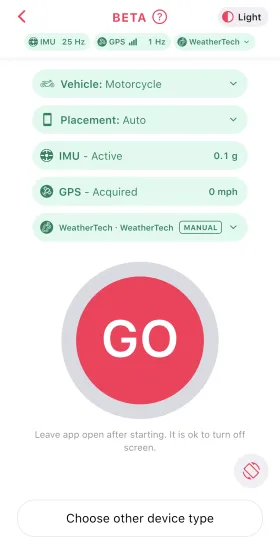
Motion sensors25 per second
LapSnap Standalone turns your phone into a lap timer. It records a track session with just your iPhone or Android phone, with no other hardware. It times your laps live at the start/finish line, and when you stop it turns the recording into a session with lap times, a track map and lap comparisons.
A dedicated GPS lap timer takes 10 to 25 position fixes a second. A phone takes about one. At 100 mph that is a fix every 45 meters, so joining the dots cuts every corner and can miss the exact moment you cross the line.
LapSnap fills the gaps with your phone's motion sensors. Between GPS fixes it estimates where you are from how the phone is moving, a technique called dead reckoning. It weighs each fix by the accuracy the phone reports, so a single bad fix does not throw the path off.
When you tap Stop, LapSnap processes the whole session again with every fix and sensor reading in view, before and after each moment. It holds the path to the track's racing surface, then times each crossing of the start/finish line between fixes instead of at the nearest one.
We tested phones on track against a dedicated GPS lap timer on the same vehicle. With the phone mounted where it had a clear view of the sky, laps came within about a tenth of a second of the lap timer.
| Lap | Android phone | iPhone |
|---|---|---|
| 1 | +0.03 | -0.12 |
| 2 | +0.02 | +0.01 |
| 3 | -0.05 | 0.00 |
| 4 | -0.01 |
Where you put the phone matters more than which phone you use. Your body blocks GPS signal, so a phone in a pocket or strapped to your leg sees far less of the sky than one on the vehicle.
Standalone is in beta. Tell us how it works for you at support@lapsnap.app.
Yes. LapSnap Standalone, added in version 2.6.0, records sessions with just your iPhone or Android phone. Tap the plus button, choose Record, wait for GPS and tap Go.
With the phone mounted where it has a clear view of the sky, our test laps came within about a tenth of a second of a dedicated GPS lap timer. A phone in a pocket or on your leg loses GPS signal and times laps far less accurately.
Mount it securely, high on the vehicle, where it can see the sky: on the dash, behind the windscreen or on the tail of a bike. Never handle the phone on track.
Hard braking and impacts on track can trigger your phone's crash detection and call emergency services. Turn it off before you drive: on iPhone in Settings > Emergency SOS > Call After Severe Crash, and on Android in Personal Safety app > Features > Car crash detection.
The phone had a poor GPS signal for part of the session, so its data may be less accurate. Next time, move the phone to where it has a clear view of the sky.