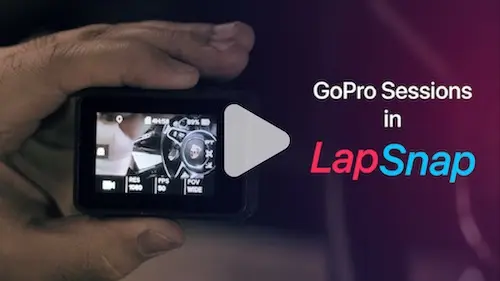
GoPro lap timer: lap times from your GoPro's GPS

LapSnap turns the GPS data your GoPro records with each video into lap times, a track map and lap comparisons. If your GoPro has built-in GPS, you can analyze a track day without a separate lap timer.

Which GoPro cameras have GPS

LapSnap needs a GoPro with built-in GPS:

  • HERO5 Black and later Black models
  • GoPro MAX

HERO12 Black has no GPS, so its videos carry no lap data. Turn GPS on in the camera's settings before you head out, and give it a minute outdoors to get a fix.

How LapSnap gets lap times from a GoPro

A GPS-equipped GoPro saves your position and speed inside each video file. LapSnap reads that track, matches it to the track you choose and splits it into laps. Each lap then shows your speed, braking and line on the map, the same as a session from a dedicated lap timer.

Download GoPro sessions

  1. On the camera, swipe down, then left, and tap Preferences. Tap Wireless Connections and switch Connections on.
  2. Turn on Bluetooth on your phone.
  3. Open LapSnap, tap the plus button and choose GoPro Camera. Allow the Bluetooth and Location permissions when asked.
  4. Pick your camera. LapSnap reads its Wi-Fi network name and password and joins it. If your phone does not join on its own, LapSnap shows the name and password so you can join in your phone's Wi-Fi settings.
  5. Select the session and tap download, then choose the track, track condition and vehicle.
  6. Switch to cellular data or another Wi-Fi network so LapSnap can process the session.

A 20-minute session downloads in about 30 seconds. Processing takes from 10 seconds to a couple of minutes, depending on your connection.

What you can do with your GoPro data

  • Analyze each lap. Speed, acceleration, braking and your line on the map.
  • Optimal lap. Your best four sectors added up into the lap time you could reach.
  • Compare laps. Any lap against your best lap, your optimal lap or another driver's lap, lined up by position on track.
  • Share onboard video. Share your onboard footage with your telemetry on screen.
  • Leaderboards. See where your lap ranks on each track's leaderboard.

Questions

GoPro cameras with built-in GPS: HERO5 Black and later Black models, and GoPro MAX. HERO12 Black has no GPS, so its videos carry no lap data.

No. LapSnap reads the GPS data the camera saves with each video and works out your laps from it.

A 20-minute session downloads in about 30 seconds. Processing takes from 10 seconds to a couple of minutes, depending on your connection.

Yes. LapSnap can share onboard video with your telemetry on screen.

Other devices